
Download Free VPN Proxy: UnblockMate – free vpn, unblock websites, proxy app, bypass censorship, online privacy, secure browsing, streaming, no registration
Overview
Free VPN Proxy: UnblockMate is a mobile application designed to help users bypass regional restrictions and access blocked online content without the need for registration. Developed by Unblocked Technologies Inc., the app positions itself as a straightforward tool for individuals seeking to maintain online freedom and privacy. It enables users to access platforms such as YouTube and TikTok, which may be restricted in certain regions due to geographical or governmental limitations. The app serves a broad audience, including students, travelers, and professionals who require unrestricted internet access for work or entertainment purposes.
By masking the user’s real IP address and location, UnblockMate contributes to a more private browsing experience. This functionality is particularly relevant in environments where online surveillance or content filtering is prevalent. The app’s emphasis on simplicity—requiring no sign-up—makes it accessible to users with minimal technical knowledge. While the developer did not provide additional technical details about the underlying infrastructure or server network, the app’s core purpose is clear: to deliver quick, secure, and anonymous access to blocked websites.
Within the current mobile app ecosystem, UnblockMate fills a niche for lightweight, no-frills proxy solutions. It offers a balance between usability and functionality, targeting users who prioritize immediate access over advanced customization. Its free availability further enhances its accessibility, making it a viable option for those seeking temporary or occasional bypass of internet restrictions.
Key Features & Functionality
- Bypass Geo-Restrictions: UnblockMate enables users to access websites and digital content that are blocked in their region by routing traffic through proxy servers. This allows real-time access to platforms like YouTube and TikTok, regardless of local censorship policies.
- Privacy Protection: The app masks the user’s IP address and geographic location, reducing the risk of tracking and enhancing online anonymity during browsing sessions.
- Seamless Streaming: By optimizing connection pathways, the app aims to minimize buffering and interruptions when streaming videos on popular platforms, offering a smoother viewing experience.
- No Registration Required: Users can start browsing immediately after downloading the app, eliminating the need for account creation, personal data entry, or verification steps.
- Ad-Free Option: A paid in-app purchase is available to remove advertisements, providing a cleaner and more uninterrupted browsing environment.
For example, a student in a country with limited access to educational content can use UnblockMate to connect to international learning platforms. Similarly, a traveler abroad can access region-specific social media or news websites without complications. The app’s design supports quick, one-step navigation: download, select a site, and connect. Although the developer did not specify the number or locations of proxy servers, the functionality appears optimized for fast, lightweight access to commonly blocked services.
Interface, UX & Performance
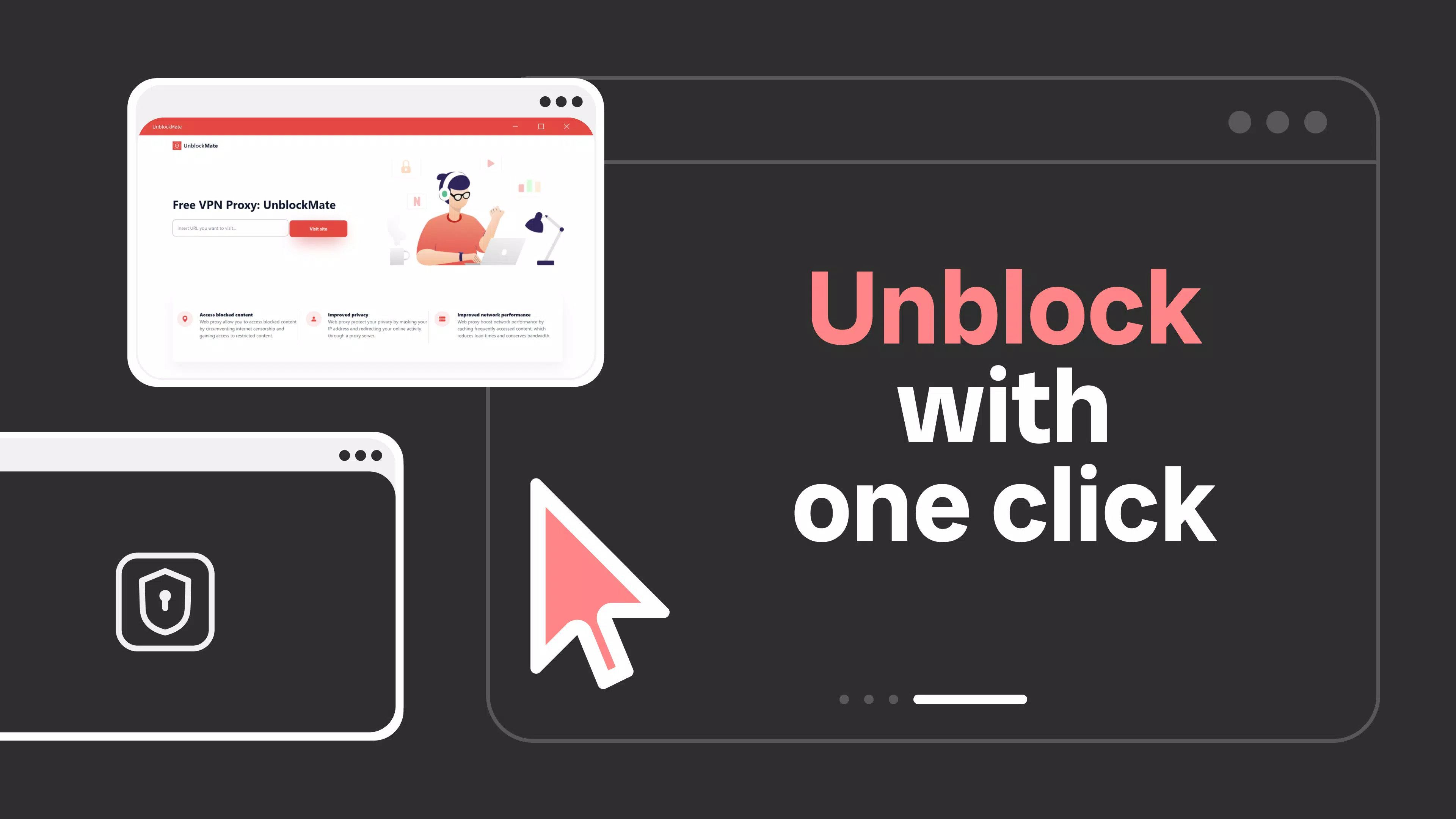
The user interface of Free VPN Proxy: UnblockMate appears to be designed with simplicity and efficiency in mind. The layout likely centers around a minimalistic input field where users enter the desired website URL, followed by a single tap to initiate the connection. This streamlined approach reduces cognitive load and supports rapid access, which is critical for users seeking immediate solutions to blocked content.
Navigational flow is expected to be linear and intuitive—enter site, connect, browse. The absence of complex menus or settings suggests a focus on speed and ease of use. Visual design elements are likely consistent with common proxy app aesthetics: functional, with clear buttons and minimal distractions. Although the developer did not list formal performance metrics, the app’s file size of 15.4 MB indicates a lightweight footprint, which may contribute to faster launch times and lower battery consumption.
Performance on different device categories is not explicitly detailed. However, given its small size and the absence of resource-heavy features like video processing or background syncing, it is likely to operate smoothly on mid-range and older Android devices. Responsiveness during connection and browsing appears to be a priority, as evidenced by the app’s focus on uninterrupted streaming. Stability may vary depending on network conditions and server availability, but the app’s core functionality remains centered on reliable proxy routing.
Platform Compatibility & Technical Requirements
Free VPN Proxy: UnblockMate is available exclusively on the Android platform. The current version is 3.2.4, and the app occupies 15.4 MB of storage space. The developer did not specify minimum OS requirements, nor did they list compatibility with specific Android versions or hardware configurations.
Given the app’s size and purpose, it is likely compatible with a wide range of Android devices, including those running older versions of the operating system. However, without official documentation, users should exercise caution when installing on devices with outdated software. The app’s reliance on network proxying means it may be affected by changes in Android’s security policies, particularly those related to background data usage and network permissions.
Compatibility information was not fully disclosed. Users are advised to check for updates regularly to ensure continued functionality and security. The app is available for free, with no in-app purchases required to access core features.
Pros and Cons
Pros
- Simple, no-registration access to blocked websites
- Lightweight design with minimal storage footprint
- Supports seamless streaming on platforms like YouTube and TikTok
- Offers an optional ad-free experience via in-app purchase
- Designed for quick setup and immediate use
Cons
- Developer did not provide detailed information on server locations or network infrastructure
- Specific OS compatibility and minimum requirements were not listed
- Performance may vary based on network conditions and proxy server availability
- Free version includes advertisements, which may disrupt browsing
- Privacy claims are not independently verified
FAQ
Is Free VPN Proxy: UnblockMate safe to use?
The app claims to protect user privacy by masking IP addresses, but the developer did not provide third-party audits or security certifications. Users should exercise caution and avoid entering sensitive personal or financial information while using the app.
Can I use this app on iOS devices?
As of now, the app is only available for Android. There is no official iOS version or information about future releases.
Do I need to create an account to use UnblockMate?
No. The app allows immediate access without registration or sign-up. Users can begin browsing right after installation.
Is the free version fully functional?
Yes. The free version includes core features such as proxy access, basic privacy protection, and streaming support. Additional benefits like an ad-free experience are available through a paid upgrade.
How often is the app updated?
The latest version is 3.2.4, released on April 2, 2023. Regular updates are recommended to maintain compatibility and security, but the update frequency is not publicly disclosed.
Final Thoughts
Free VPN Proxy: UnblockMate presents a practical, no-frills solution for users seeking to bypass online restrictions and enjoy unrestricted access to digital content. Its minimal setup, lightweight design, and focus on privacy make it a compelling choice for individuals who value simplicity and speed. While the lack of detailed technical disclosures limits transparency, the app delivers on its primary promises: unblocking websites, protecting privacy, and enabling smooth streaming.
It is particularly well-suited for students, digital nomads, and casual users who need occasional access to blocked platforms without the complexity of traditional VPNs. The optional ad-free upgrade adds flexibility for users who prefer a cleaner experience. For those seeking a secure, easy-to-use tool to navigate internet restrictions, UnblockMate offers a balanced mix of accessibility and functionality.
Download Free VPN Proxy: UnblockMate now


